
Home / Size Guide
Find the Right fit

Size Guide

Little feet grow quickly, and finding the right size can sometimes feel like a bit of guesswork.

Mollie Kids carries Biomecanics, Garvalin and Pablosky, and each brand has its own fit and sizing guidance. This page brings everything together in one place to make choosing the right pair a little easier.

Start with a quick measurement, then open the relevant brand guide below for the size chart and any style-specific fit notes.

Guidance

How to Measure at Home​

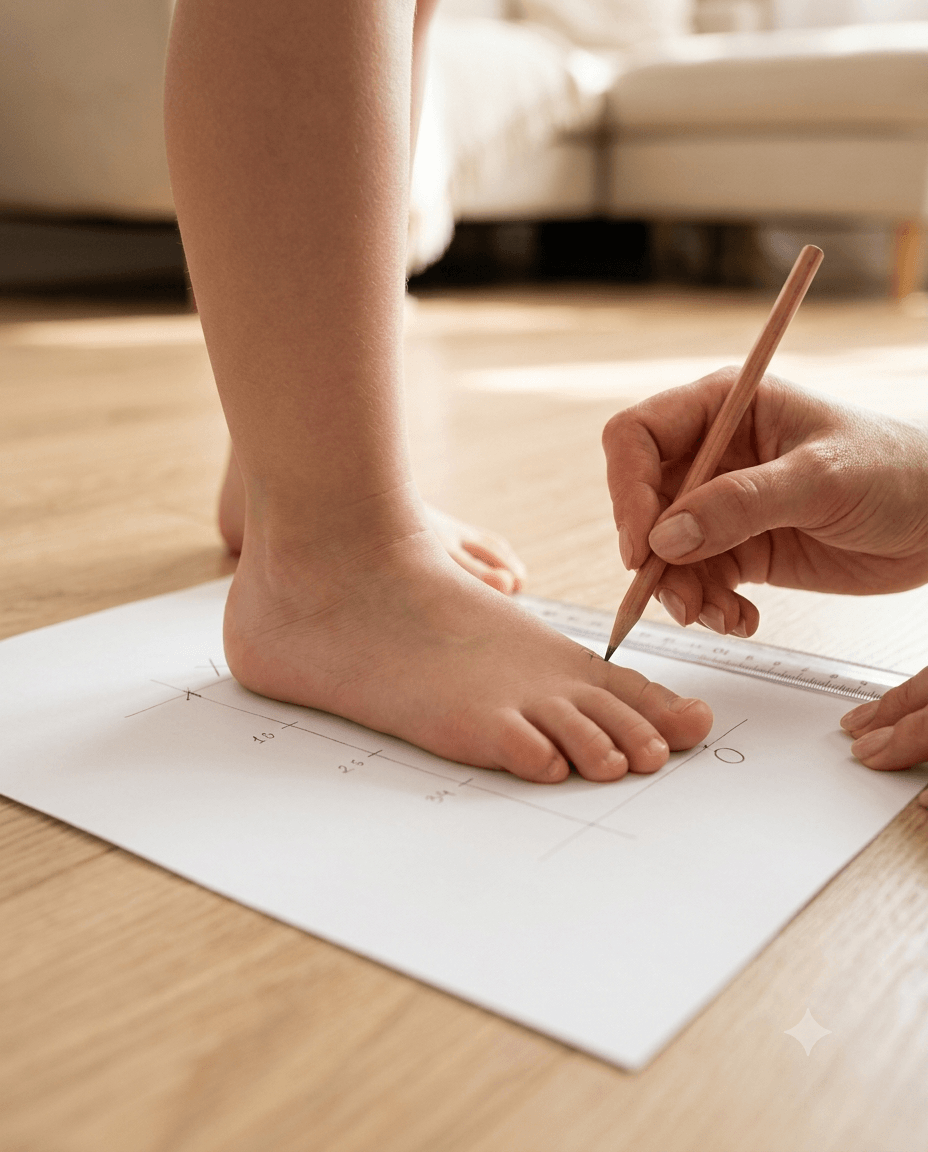
  1. Measure the foot

    Have your child stand with their heel gently against a wall. Measure from the wall to the tip of the longest toe in centimetres.

  2. Measure both feet

    Use the larger measurement when choosing a size.

  3. Check the brand sizing

    Pablosky: allow around 0.8–1.2 cm of growing room.
    Garvalin & Biomecanics: no need to add extra length — the recommended sizing already includes room for the foot.

  4. Find the size

    Compare the measurement with the relevant brand chart.

Guidance

When the Shoes Arrive

  1. Try both shoes on with their usual socks and let your child walk around indoors on a clean surface.
  2. A good fit should feel secure, with room for the toes to move naturally.

Too tight: toes feel restricted or the shoe presses across the foot.
Just right: heel feels secure and your child can walk comfortably.
Too loose: the foot slides around or the heel lifts.

Helpful Tips

Try later in the day — feet can be slightly fuller by the afternoon.
Don’t size up too much — extra room can make shoes less comfortable or stable.
Check regularly — growing feet can change quickly.

Child’s Age How Often to Check
0–1.5 years Around every 2 months
1.5–2.5 years Around every 3 months
2.5–4 years Around every 4 months
4–6 years Around every 6 months
7–9 years Around every 3-4 months
10+ years Around every 4-6 months, depending on growth

Choose Your Brand

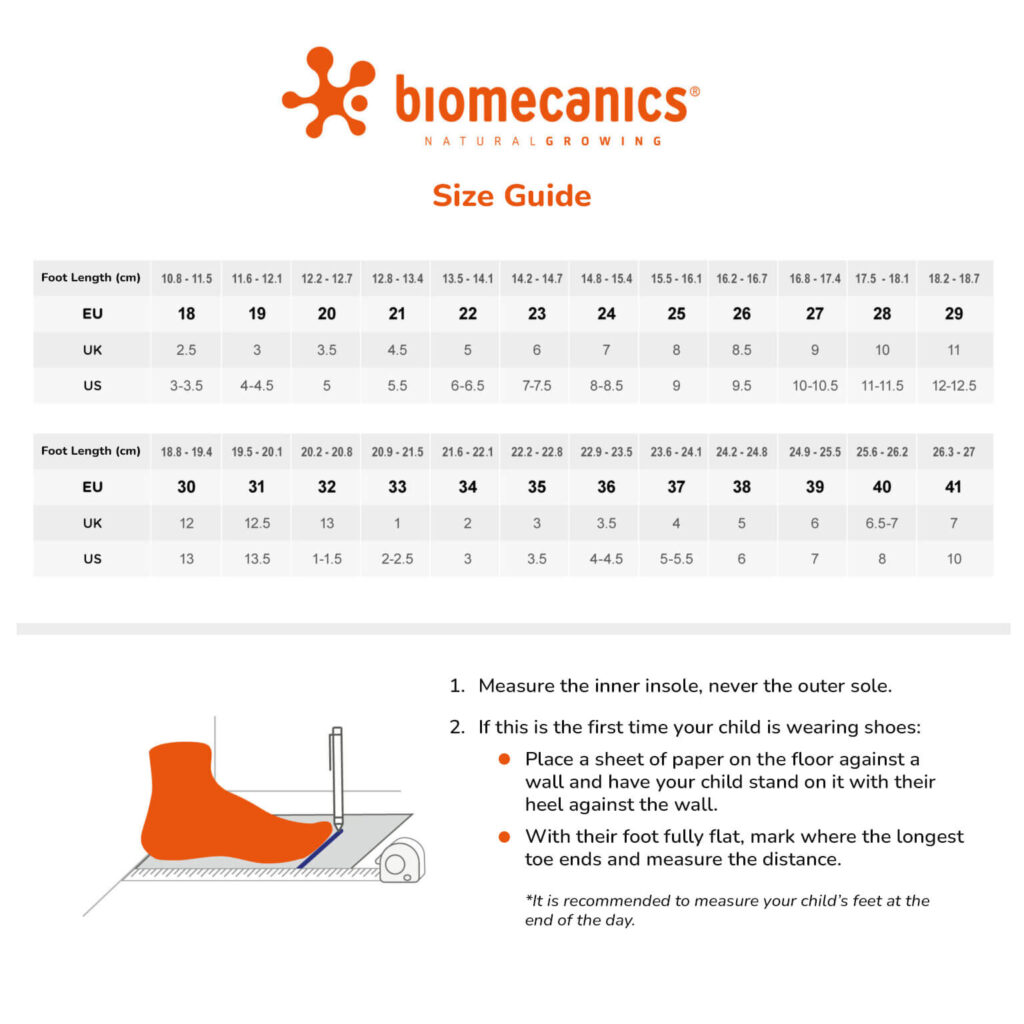
Biomecanics Size Guide

Biomecanics follows standard children’s sizing, but fit can vary slightly between styles.

The sizing already includes the intended room for the foot, so you don’t need to add extra length.

For example:

  • Foot length 10.8 cm → EU 18
  • Foot length 12.2 cm → EU 20

Fit notes

  • Canvas: may feel slightly roomier.
  • Biohome: may also have a slightly wider fit.
  • Biogateo: some styles include a foot outline on the insole. Your child’s foot should sit comfortably within the outline.

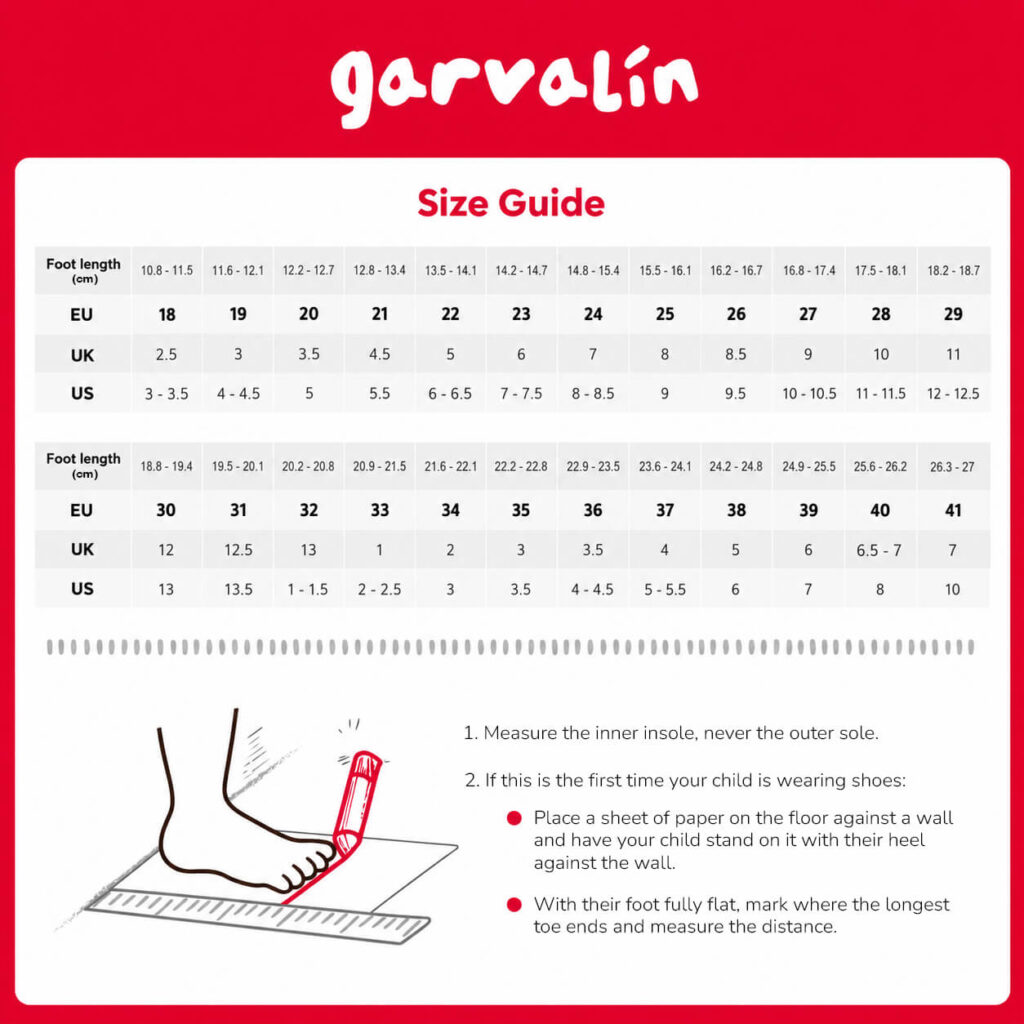
Garvalin Size Guide

Garvalin sizing also already includes the intended room for the foot, so you don’t need to add extra length.

For example:

  • Foot length 10.8 cm → EU 18
  • Foot length 12 cm → EU 20

Fit notes

  • Canvas: may feel slightly roomier.
  • Beach sandals: some styles may run a little large. Check the individual product page for any sizing notes.


Pablosky Size Guide

Pablosky sizing includes both length and width guidance.

Allow around 0.8–1.2 cm of growing room between the longest toe and the front of the shoe.

Fit guide

  • Less than 0.5 cm — too small
  • 0.5–0.7 cm — nearly time to size up
  • 0.8–1.2 cm — just right
  • More than 1.2 cm — too big

Pablosky Size Guide

Insole Length (cm)EUUKUSMedium Fit Width (cm)Wide Fit Width (cm)
10160.515.35.3
10.7171.525.455.45
11.31822.55.65.6
121933.55.755.75
12.7203.54.55.855.85
13.3214.5566
14225.566.16.15
14.72366.56.26.3
15.32477.56.256.45
16257.586.36.6
16.6268.59.56.456.75
17.327910.56.66.9
182810116.757.05
18.62911126.97.2
19.33011.512.577.35
203112.5137.17.5
20.632131.57.27.65
21.333127.357.8
2234237.57.95
22.6352.53.57.658.1
23.3363.54.57.88.25
2437457.98.4
24.6385688.55
25.33966.58.18.7
26406.578.28.85
26.641788.39
27.3427.58.5  

Make measuring a little easier

  • Pablosky Foot Template → Download PDF
  • Printable Measuring Tape → Download PDF

For the foot template, print on A4 paper at 100% / actual size for the most accurate result.

Share quick feedback

View All Feedback

Capture the current view and annotate it. Full viewport screenshot (no manual cropping).

Guide:
1) Tap “Capture screen”.
2) We snapshot what you see.
3) Mark up in red.
4) Add name, role, email, and context.
5) Submit.